Report Anonymizer
Local LLM anonymizer for penetration-test reports. Drop a folder of PDFs, Office docs, Markdown or code: customer brand, real IPs, phone numbers, hardcoded credentials, advisory IDs, AD SIDs, cloud resource IDs and other identifying values are rewritten in place with plausible dummy values. Exploit code, payloads and shell output stay untouched. The pipeline talks to a local llama.cpp server, so nothing leaves your machine, and the shipped default preset runs comfortably on a regular laptop.
Windows installer AppImage .deb View on GitHub Star on GitHub Release notes
Why use it
-
Local-only by design
No telemetry, no cloud LLMs, no analytics. The only network endpoint ever contacted is
huggingface.co, and only when you explicitly download a model. Substitution maps stay in your project folder. -
Operator-in-the-loop
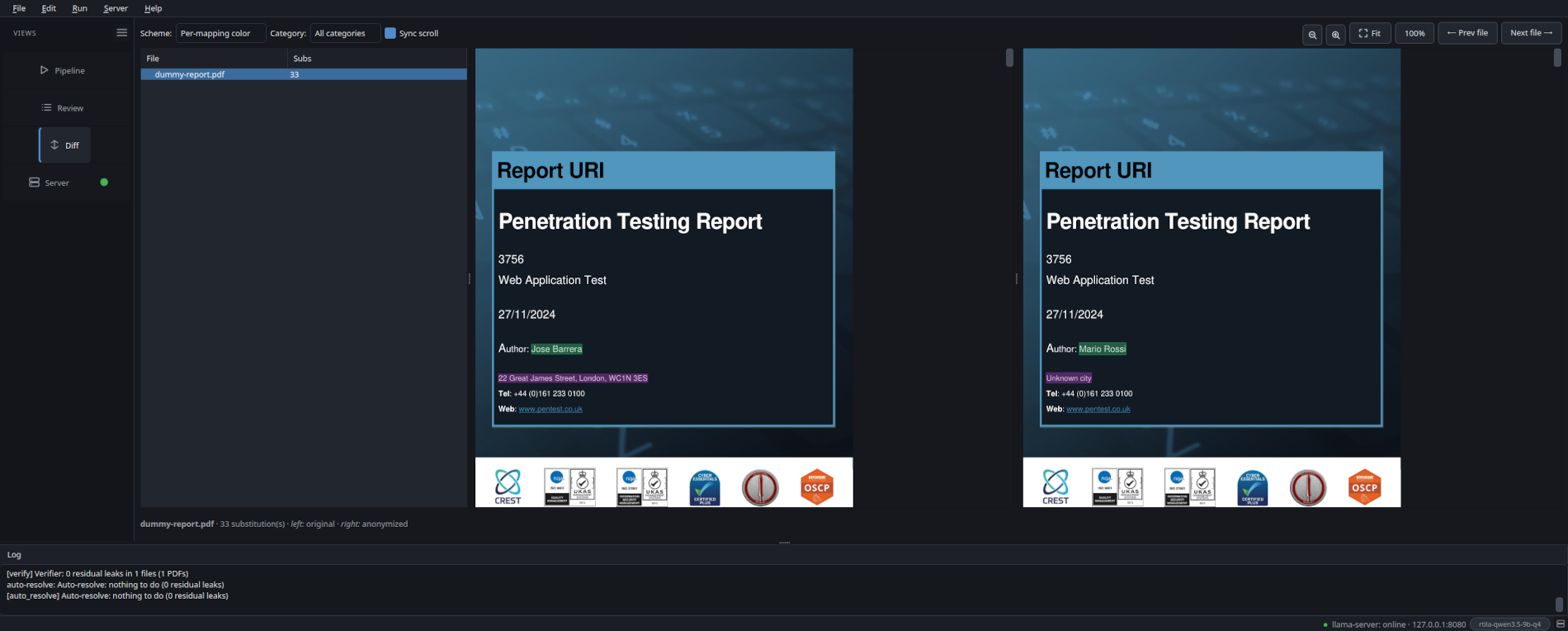
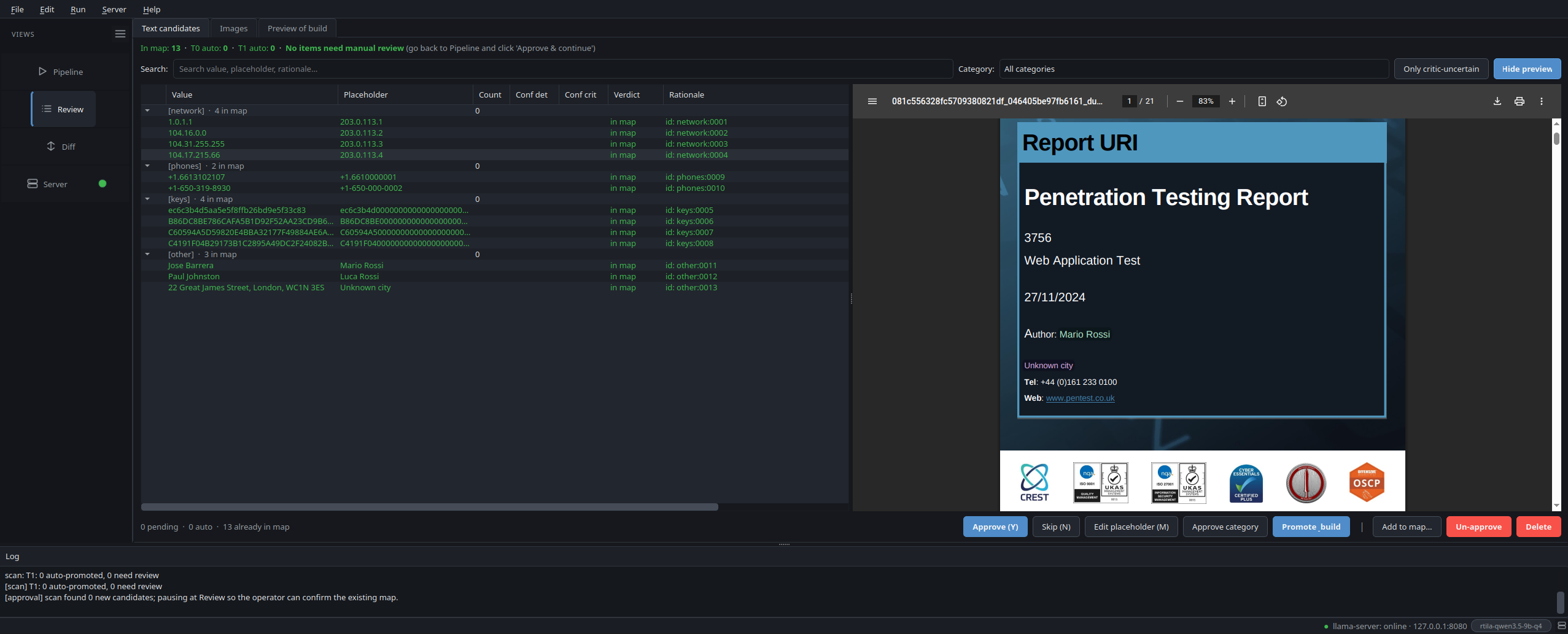
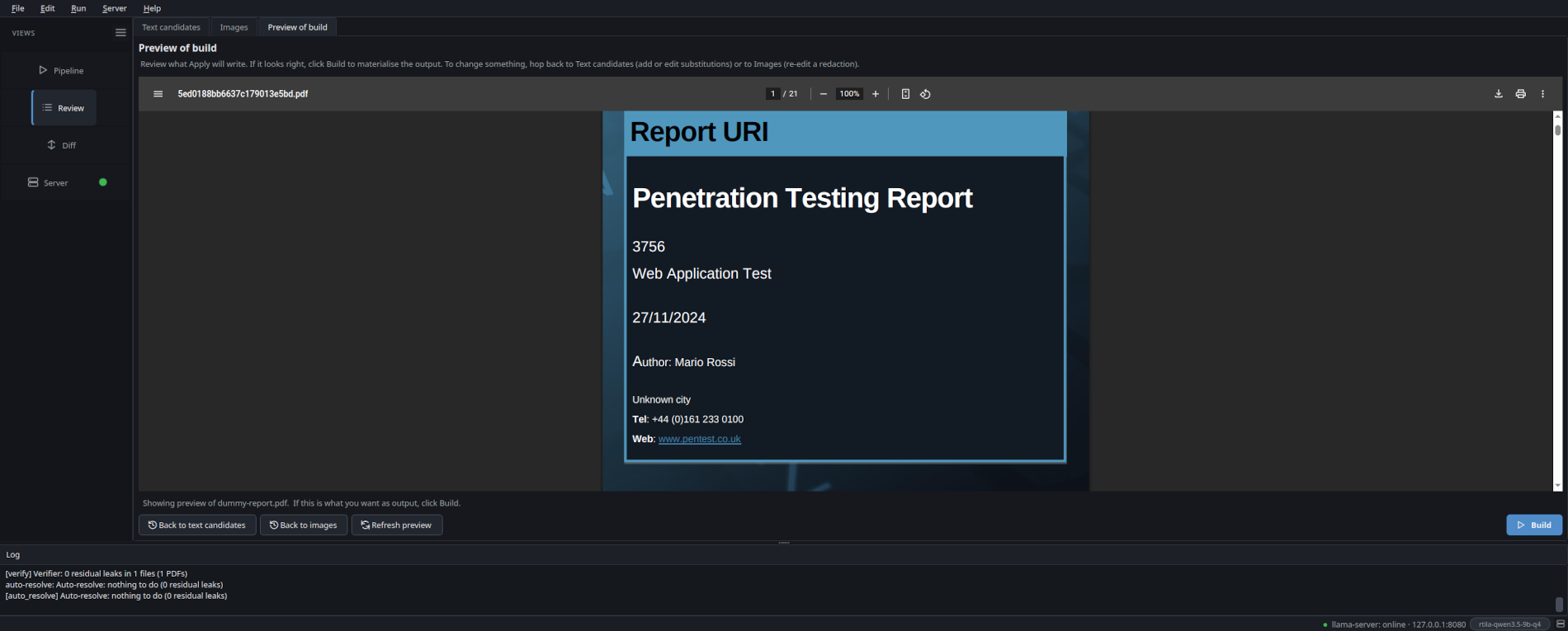
The Review pane shows every candidate next to a live render of the anonymized output, not the original with overlay highlights. Approve, skip, edit or add custom words. What you see is what Apply will write.
-
Layout-preserving
PDFs are redacted in place. Placeholders are length- and shape-preserving (ARN stays an ARN, hex stays hex, phone keeps its country code). Layout, fonts, even byte length stay close to the original.
-
12 leak categories
Brand, network, phones, emails, credentials, keys, headers, app packages, user agents, internal IDs, infra IDs (AWS / Azure / GCP / AD SIDs), proprietary URI schemes. Exploit code, payloads and tool output are deliberately left intact.
-
Runs on a regular laptop
The shipped
defaultpreset is CPU-only: a 4 B-parameter model, ~2.5 GB on disk, ~1.5 GB of RAM in use. No GPU required. If you have one (6 GB VRAM is enough), the wizard picks a faster GPU preset for you, but the entry point stays a regular laptop. -
Image redaction
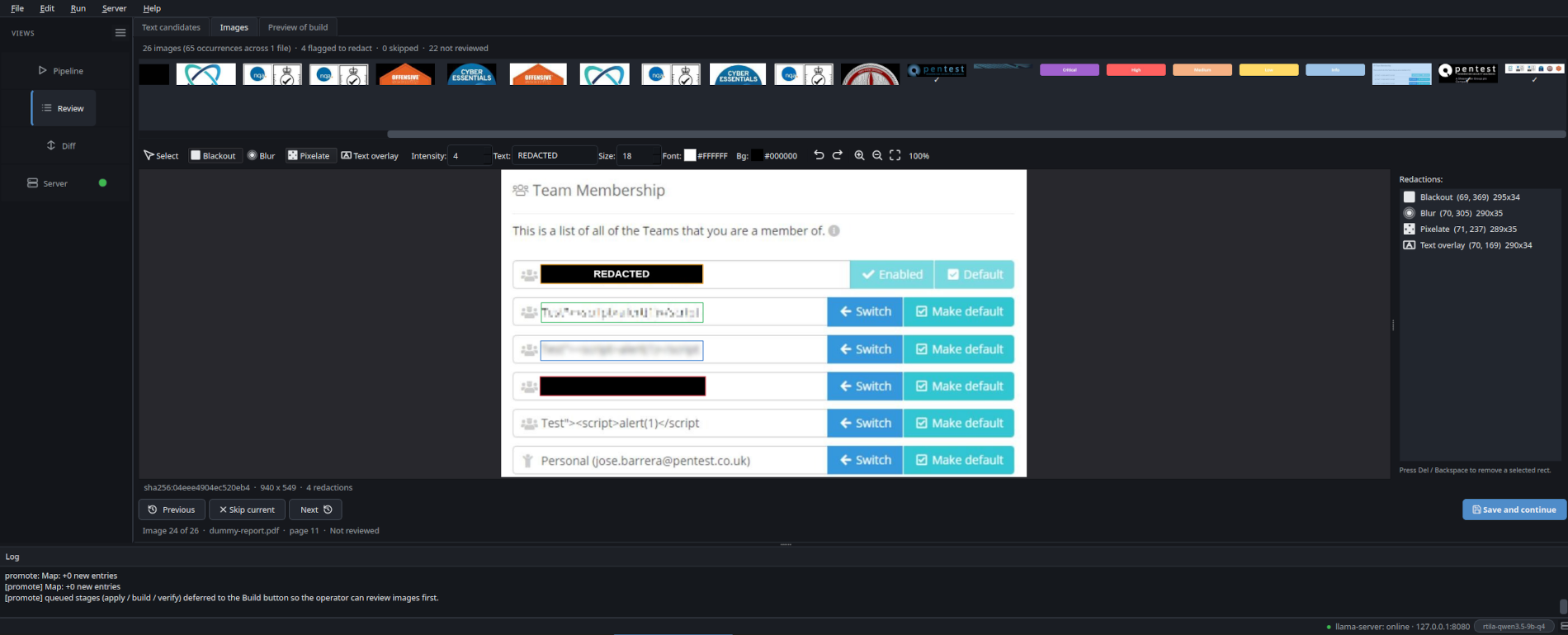
Every embedded image (PDF / DOCX / PPTX) gets a thumbnail in the Review » Images tab. Open the editor, paint blackout / blur / pixelate / text-overlay rectangles with a colour picker for the text overlay. The canvas shows the actual baked pixels as you draw, not a translucent placeholder. Same image_id across pages = single decision, applied to every occurrence at the original xref / shape position.
-
Detection mode picker
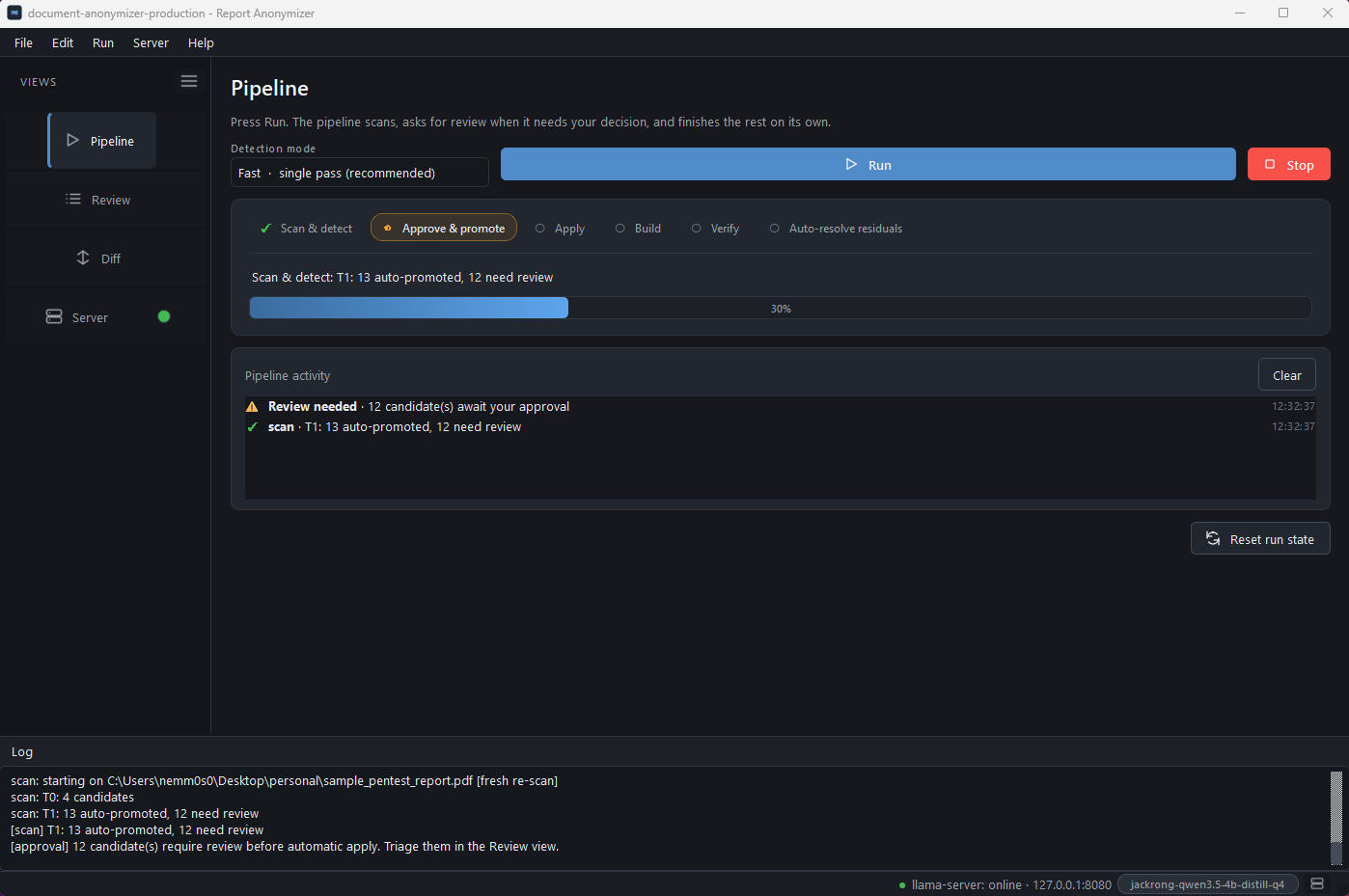
A combo box right next to Run on the Pipeline tab lets the operator switch between Fast (one monolithic prompt covers all 12 categories per chunk, ~30 s / typical PDF on the 4B preset) and High accuracy (11 focused per-category prompts are run against every chunk and the candidate lists are merged). On the local 5-PDF bench multi-pass lifted F1 from 0.836 to 0.919, precision +0.12, recall +0.05, at the cost of roughly 5x more detector time. Same toggle from the CLI via
--detector-mode single | multipass.
Get it
Four install paths. Same code in all of them; they differ only in how the runtime is brought to your disk.
-
Windows installer
Native
Setup.exefor Windows 10 / 11. Bundles the embedded Python runtime,llama-server.exe(CPU / CUDA / Vulkan variants),pandoc,pdftotextand everything else. Pick the backend that matches your GPU at install time. Per-user install (no admin), one desktop shortcut, one Start-menu entry. -
AppImage
Single self-contained binary. No install, no root, no system Python. Bundles a portable interpreter, every Python dependency (PySide6, WeasyPrint),
pandocandpdftotext. Justchmod +xand run. -
.deb (Debian / Ubuntu / Mint)
Smaller download (240 KB). Runtime Python deps are pulled from PyPI by the
postinstallhook. Integrates withapt, registers a desktop entry, addsreport-anonymizerto your$PATH. Requires root to install. -
One-line installer (Linux / macOS)
Per-user install under
~/.local/share/report-anonymizer, launcher in~/.local/bin/. Detects missing system tools (pandoc, poppler-utils, Pango) and offers to install them viaapt-get,dnf,pacman,zypperorbrew. No root needed.
Double-click Report-Anonymizer-Setup-x64-1.0.0.exe. The
Setup wizard detects your GPU, recommends the matching
llama.cpp variant (CUDA / Vulkan / CPU) and bundles it together
with the embedded Python runtime. A desktop and Start-menu
entry are created; uninstall is registered with the OS.
See the Windows install guide for the
full walkthrough + screenshots.
AppImage doesn't open?
If you double-click the AppImage and nothing happens, your
distro probably needs libfuse2 for AppImage's mount layer:
sudo apt install libfuse2 (Debian / Ubuntu / Mint),
sudo dnf install fuse-libs (Fedora / RHEL),
sudo pacman -S fuse2 (Arch / Manjaro).
A 60-second tour
Documentation
-
The 12 leak categories the detector emits, with examples of the placeholders it produces and the (long) list of strings it deliberately leaves alone so the report's technical content keeps working.
-
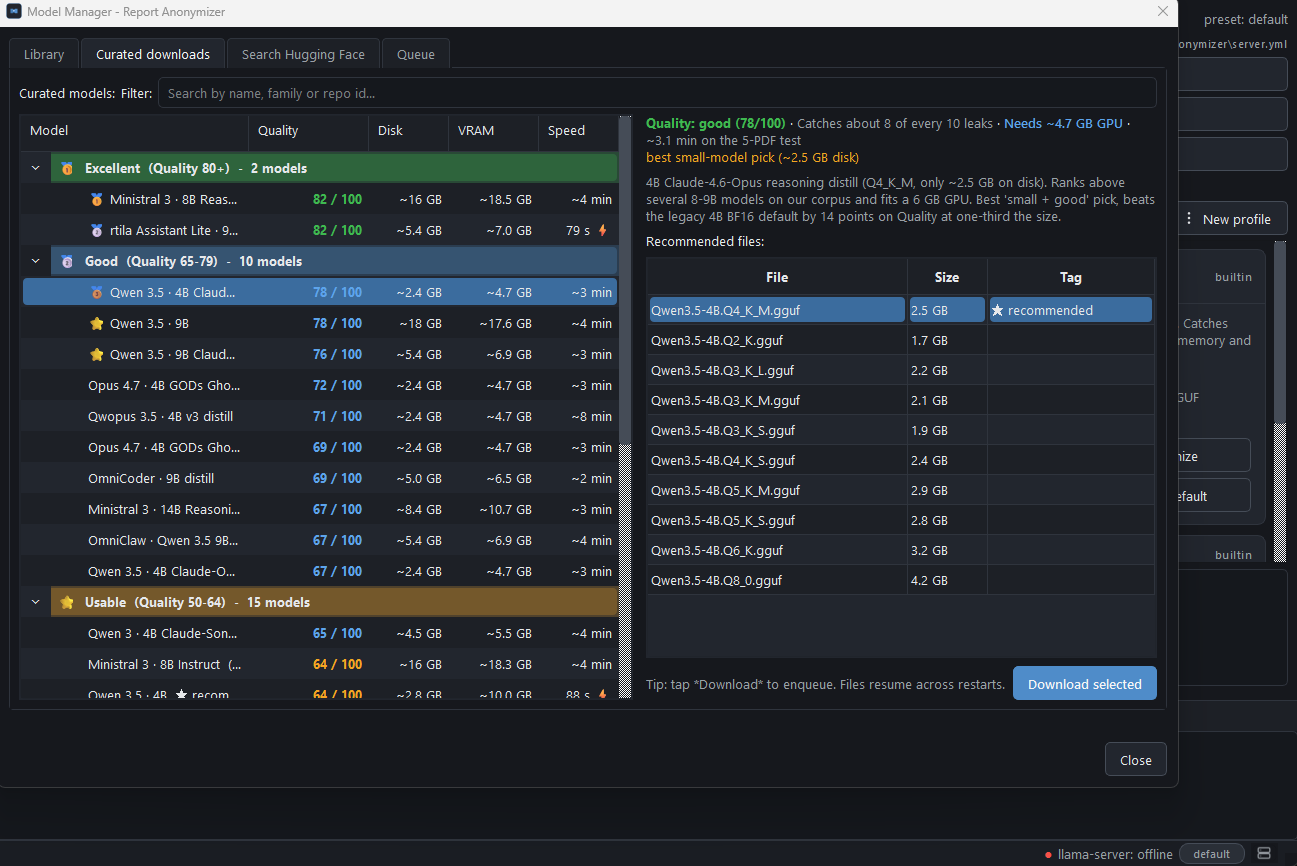
Quality score, precision, recall and VRAM for the curated 5 presets. Plus the 24 below-cut models and the 4 architecturally incompatible ones, with root-cause notes.
-
Pipeline data flow, on-disk schema (manifests, substitution maps, applied substitutions, decisions log) and the per-stage cancellation contract.
-
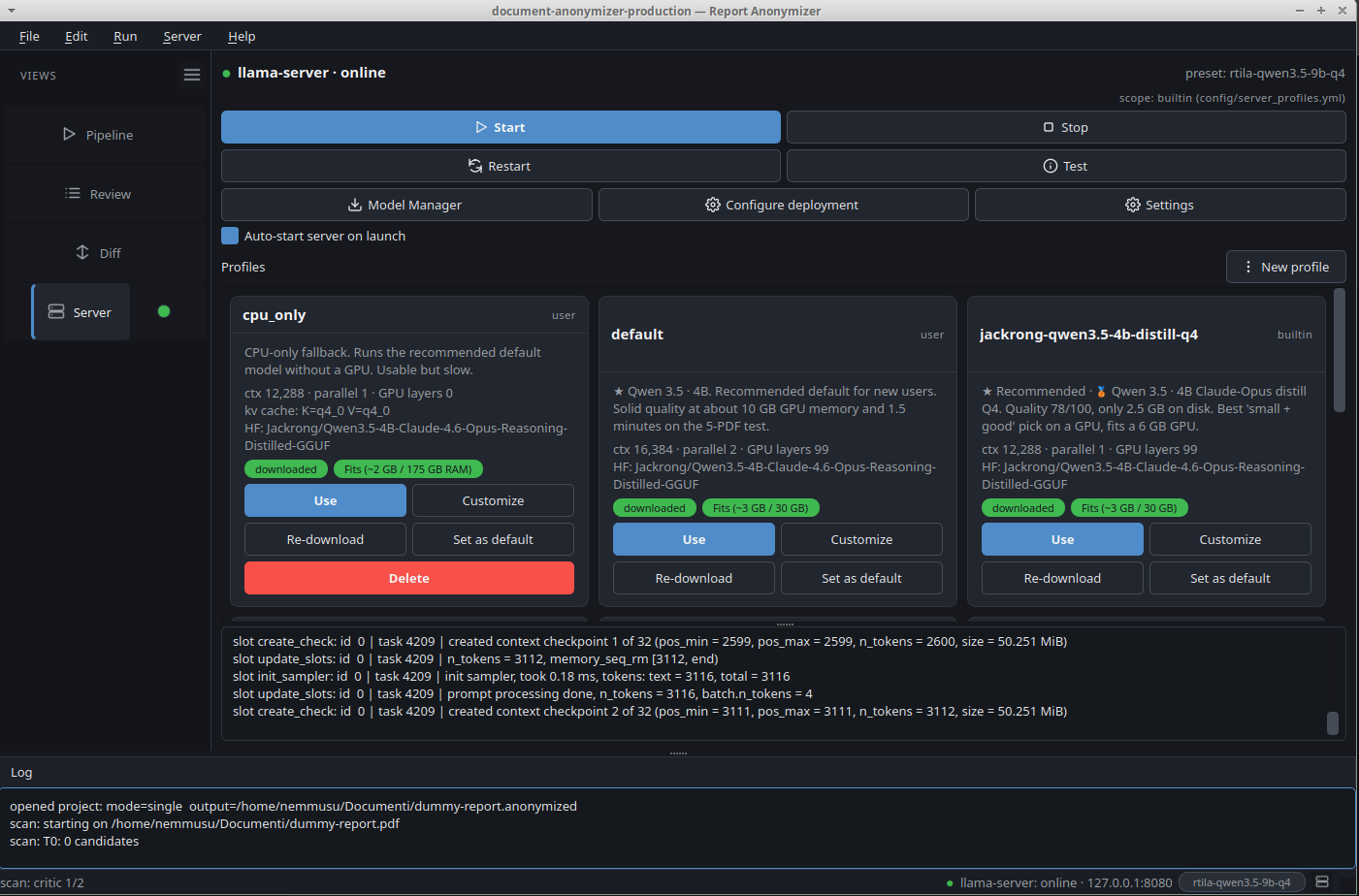
The shipped server profiles, how to pick one for your hardware, and how to customise a preset (per-user or per-project scope).
-
Common questions: diff cache, OCR scope, offline-mode behaviour, format adapters, HIPAA / GDPR scope.
-
Step-by-step walkthrough of the
Setup.exewizard: variant pick (CPU / CUDA / Vulkan), where files land, uninstall flow, keep-user-data prompt. -
Development setup, code style, what we look for in a PR, how to add a format adapter.